Scope review markup
Clouds, callouts, text boxes, highlights and stamps (Approved, Approved as Noted, Reviewed, Rejected, Draft, Void, plus your own). Reply to comments and set custom statuses.
CloudStampReplies
Precon is a revision-control problem as much as a measuring problem. Log the set, review scope with markups everyone can read, compare each addendum against the last issue, and keep an auditable trail from the first sheet to the signed form. One company license covers your whole team.
Everything on this page is part of the current core toolset unless it carries a Planned or Concept label.
Clouds, callouts, text boxes, highlights and stamps (Approved, Approved as Noted, Reviewed, Rejected, Draft, Void, plus your own). Reply to comments and set custom statuses.
Compare with Older Revision clouds the differences between two issues. Overlay Older Revision shows older-only, newer-only and shared linework in different colors. Compare Text catches spec changes.
Group many PDFs into a Set, tag sheets by discipline, auto-fill sheet data from file names, keep a Drawing Log, and check sheets out and in.
Ten form templates including RFI, submittal, change order and punch list, with field tools, Detect Fields, calculated fields and import, export and merge of form data.
Sign, certify and manage a Digital ID and trusted identities. Files are saved incrementally so signatures stay valid when you add markup afterwards.
Shared review through a folder your team already shares: a network drive, OneDrive or Dropbox. See who is in, sync on demand, leave when done.
Batch slip sheets, stamps, headers and footers, link sheet numbers and OCR. A visual flow designer ships templates such as "Issue a set" and "Sort large sheets". Rule-based, not AI.
Every markup lists subject, page, author, date, status and replies. Filter, group, and export a Summary report as PDF, HTML, XML or CSV for the meeting.
Bid sets arrive as a pile of PDFs with inconsistent names. Bring them into a Set, tag them, and let the app fill in sheet numbers and titles from file names so the log stays honest.
| Sheet | Title | Tag | Rev | Status |
|---|---|---|---|---|
| A-101 | First floor plan | Architectural | 2 | Checked in |
| A-102 | Reflected ceiling plan | Architectural | 1 | Checked in |
| M-201 | HVAC plan | Mechanical | 0 | Checked out · JT |
| E-101 | Power plan | Electrical | 1 | Checked in |
| P-101 | Plumbing plan | Plumbing | 0 | Checked in |
Mark up the scope gap, cloud the clash, stamp the sheet, then track the thread in the Takeoff table. When the architect answers, reply in place and set the status so nothing falls off the list.
| Subject | Page | Author | Status | Replies |
|---|---|---|---|---|
| Cloud: confirm ceiling height | A-102 | EM | Open | 2 |
| Callout: fire-rated shaft wall | A-101 | JT | Accepted | 1 |
| Cloud: missing door hardware | A-101 | RD | Open | 0 |
| Stamp: Reviewed | M-201 | EM | Accepted | 0 |
Planned, not built yet. Sessions would sync markups through a shared folder your IT department already approved. Everyone works in their own copy of the app, on their own machine, and would see each other's markups as they sync.
Sessions need a folder that every attendee can reach. They are not a hosted meeting room.
Construction paperwork lives in PDF form fields. The app ships templates you can adapt, plus the tools to build your own.
Request for information with question, reference sheet and response fields.
Transmittal-style form for product data and shop drawings.
Description, reason and amounts with calculated fields.
Item, location, responsible party and sign-off.
Six more construction templates are included, and Detect Fields can turn a flat scanned form into fillable fields.
Drop the PDFs into a Set, tag by discipline and fill the Drawing Log.
Cloud gaps, stamp sheets, track status in the Takeoff table.
Overlay the new issue on the old and see what moved before it reaches the estimate.
Reply to markups and set their status, then sign and issue the set with a Script Flow.
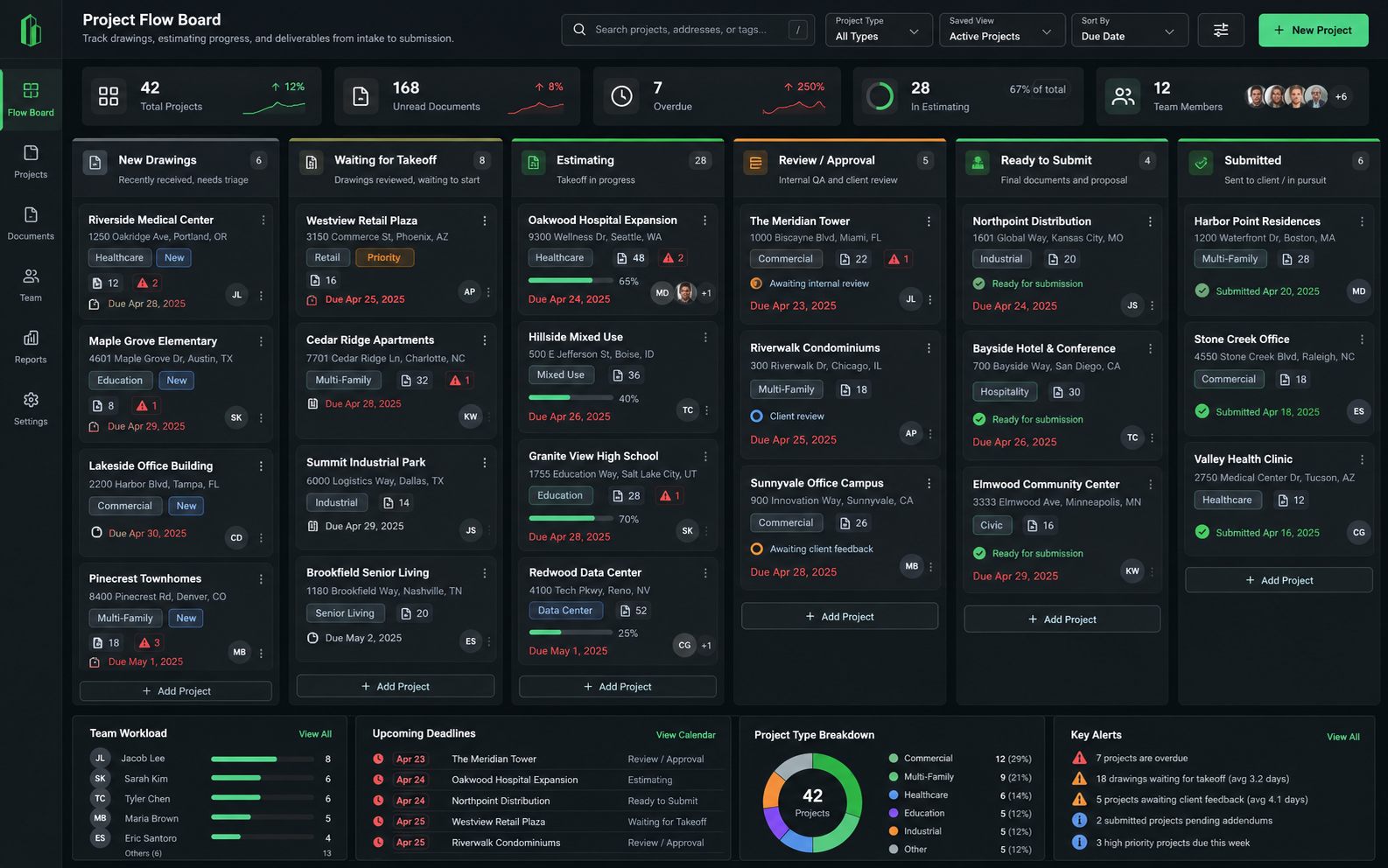
The Project Flow Board is an idea we want to validate with GC estimators. It would track every bid by stage so the question "where are we?" has one answer. It does not exist yet and cannot be purchased.
Estimators, project engineers and the superintendent who just needs to read the markup should not each trigger a seat purchase. The company license is priced per company. See how it works or proposed pricing.
No testimonials or logos yet. Tell us how you run bids and help us shape the bid board.
Built for precon teams. Tell us how you log sets and track bids today so we build the right thing next.