From quantities to a priced number.
Add your own columns to the takeoff, write formulas against the measurements, total by trade or sheet, and send it all to Excel. Price your takeoff without leaving the plan.
Your pricing logic, as columns.
Every column you add sits right beside the measurements. Enter a unit cost, pick a trade from a list, tick a checkbox, or let a formula do the extension for you.
- Built-in Unit Cost and Cost columns: give an item a unit cost and it is priced.
- Seven column types for your own columns: Text, Number, Currency, Choice, Checkbox, Date and Formula.
- Set a minimum, maximum and default value, and choose whether a column rolls into totals.
- Formulas can use ROUND, ROUNDUP, ROUNDDOWN, MIN, MAX, ABS, SQRT, IF, CEILING and FLOOR.
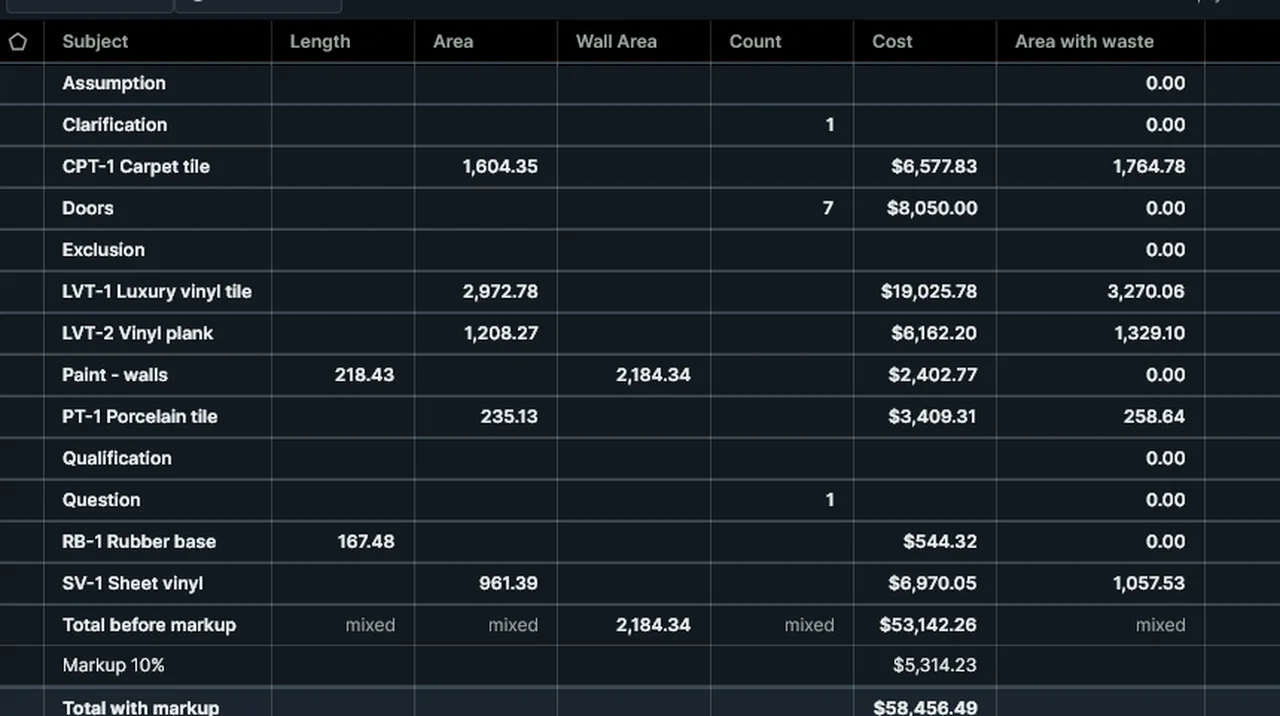
Subtotals for every group.
Group the Takeoff table and every group gets its own subtotal, so you can read the job by finish, by sheet or by measurement type.
- Group by Space, Subject, Page, Type or Scale and read subtotals for each group.
- Totals only folds the table to one line per group.
- A totals strip under the table for the visible rows.
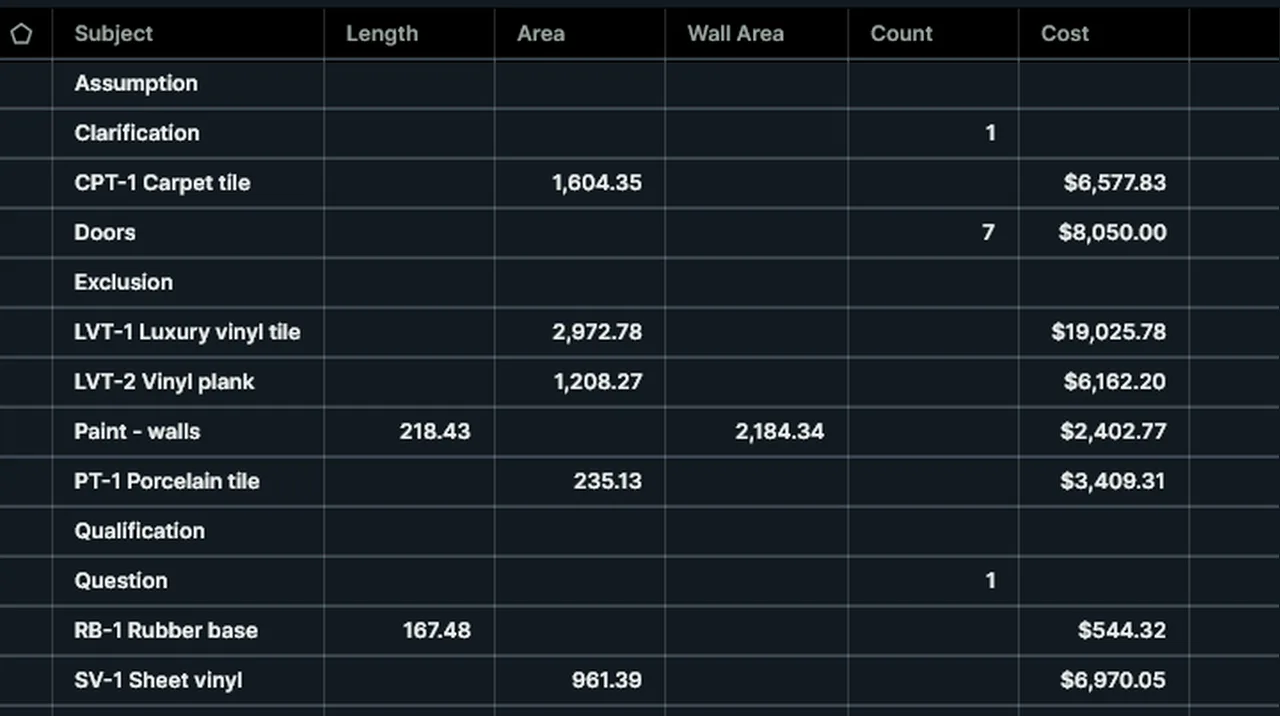
One markup for the job.
Type the job's markup as a percentage of its cost. The table keeps your costs as they are and adds the markup underneath.
- Under the table: the total before markup, the markup and the total with markup.
- Leave it blank for no markup.
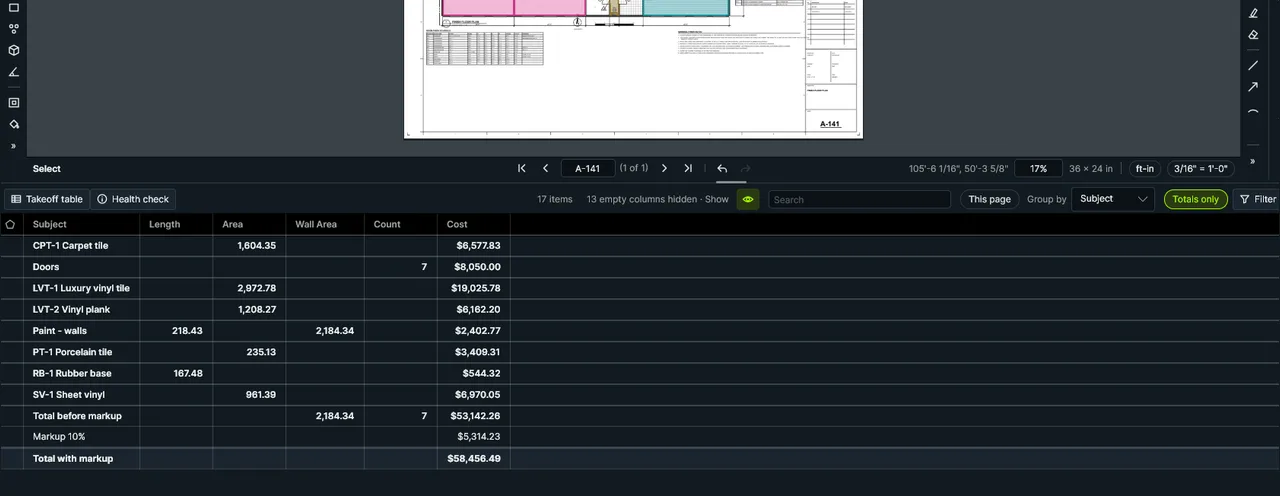
Excel is still where bids get finished. Go there cleanly.
Send the Takeoff table out as .xlsx or CSV, export a whole plan set in one go, or link quantities to a workbook you already trust.
- Export takeoff to Excel (.xlsx) or CSV with the columns you chose.
- Set-wide export: one sheet per document in the set.
- Live link to a workbook: quantities flow into your template and update with the plan.
- Your formulas, your layout, your markups. Nothing locked in.
Reports for people who do not open the PDF.
Make a Summary report when a PM, owner or sub needs the list without the drawing.
- Four formats: CSV, XML, HTML and PDF.
- Run a summary across many files with Batch, from the same menu as the other batch jobs.
Everything you need to extend a takeoff.
No separate estimating database to maintain. Your quantities, your unit costs, one table.
Currency & number columns
Unit costs, waste factors, labor hours, with min, max and default values.
Formula columns
Reference any measurement or column by name, and use IF, ROUNDUP, MIN and MAX.
Choice columns
Pick trade, phase or cost code from a list so entries stay consistent.
Checkbox columns
Mark rows as checked, priced or verified and filter on them.
Date columns
Track quote dates and lead times next to the quantity they affect.
Totals that follow you
A totals strip for the visible rows, with per-column control over what counts.
Group by anything
Space, Subject, Page, Type or Scale, with a subtotal on every group.
Excel & CSV export
Takeoff to .xlsx or CSV, with the columns you picked.
Set-wide takeoff export
Export the whole plan set to one workbook, one sheet per document.
Live link to a workbook
Keep an Excel template fed with current quantities as the takeoff changes.
Summary reports
CSV, XML, HTML and PDF reports for the people who need a list.
Units that stay put
Override a unit on a single markup without touching the page scale.
Know what you bid, and what changed.
The priced takeoff carries through bid day. These are in the app today.
Freeze the bid
Lock every PDF as bid, compare the takeoff with it later, and price the change order at the bid's unit costs.
Quantity changes since an addendum
Add the addendum and export every quantity it changed, item by item, before and after.
From a row to its markup
Double-click a row in the Takeoff table to go to the item on its sheet.
On the roadmap: from takeoff to a defensible estimate.
Not in the app yet, and details can change. See the roadmap for the rest.
Reusable assemblies and material recipes
Measure once and let a recipe expand it into the real material list. Panels, grid, trim and waste, each with its own formula, built once and reused on every ceiling.
- Quantities driven by the measurement you already took.
- Waste and rounding rules you set per material.
- Shared company recipes so everyone prices the same way.
ROUNDUP(420 / 8 * 1.05, 0)covers the measured areaROUNDUP(82 / 10, 0)Concept, not yet built. Example numbers only.
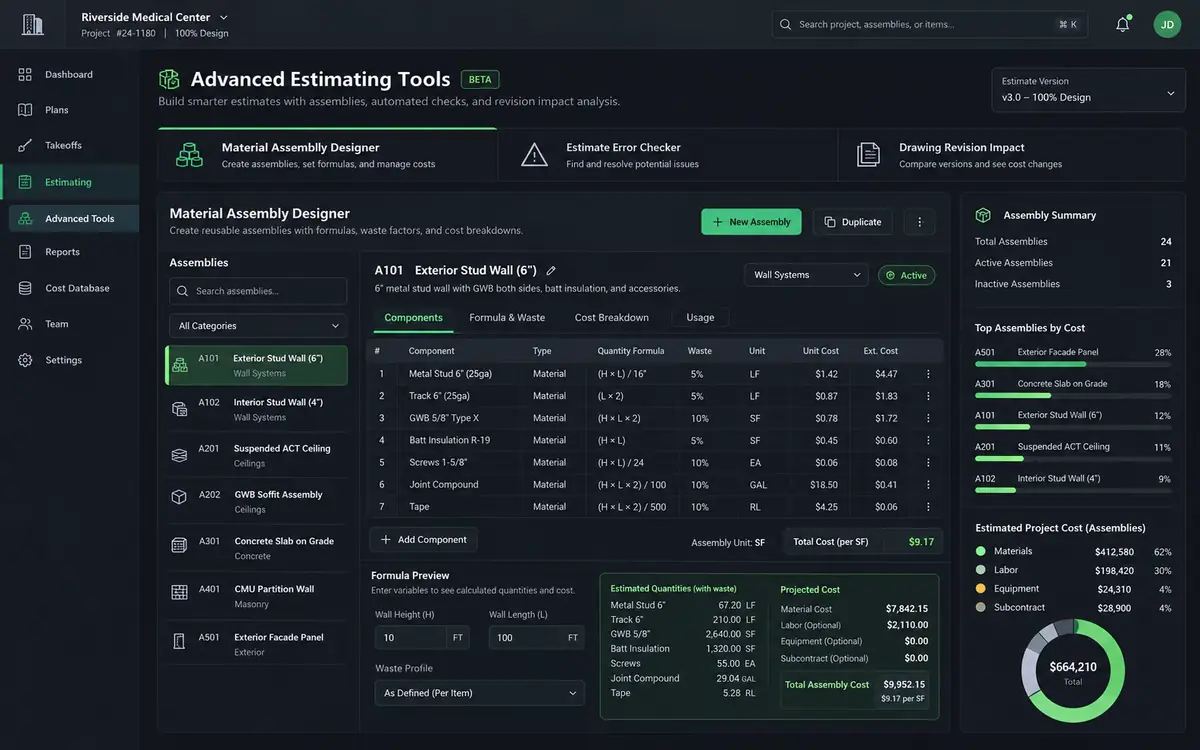
Estimate exception checker
Flags unpriced rows, missing waste and odd unit costs. The takeoff health check already finds takeoff mistakes such as missing scales and duplicates.
Cost database, labor and waste factors
Unit costs and labor rates you keep once and reuse on every bid.
The rest of the workflow.
Price your next takeoff in one window.
Measure, price and freeze the bid without leaving Kisheet.