Electrical takeoff, devices, conduit and wire you can check.
Box one symbol and Visual Search finds every copy across the set, keeping only the GFI or WP ones if you like. Trace conduit by size, add drops and conductors, and wire length comes with it.
An electrical bid in Kisheet, step by step.
A lighting and power plan for a retail store: rows of pendants, downlights and track up front, strips in the stock room, receptacles round the walls and one panel. Here is how it goes from symbols to counts and wire.
The drawings are a sample set made for this guide. Every picture is a real screenshot of Kisheet, pre-release build of October 21, 2026.
-
1
Make a tool for each fixture and device
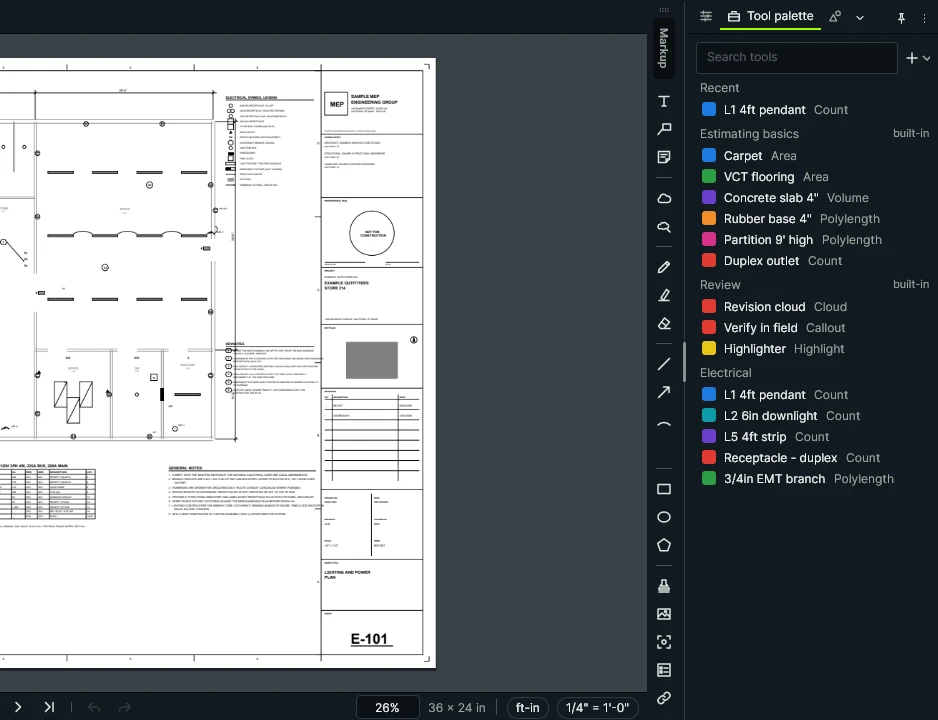
Your fixture types and devices come from a list once, each with its colour, and the branch conduit as a run. Kisheet reads the scale printed under the plan.
Tools › Tool Sets › New Tool Set from Excel or CSV; Tools › Measure › Use Printed Scale
Kisheet, October 21, 2026 -
2
Find every pendant with Visual Search
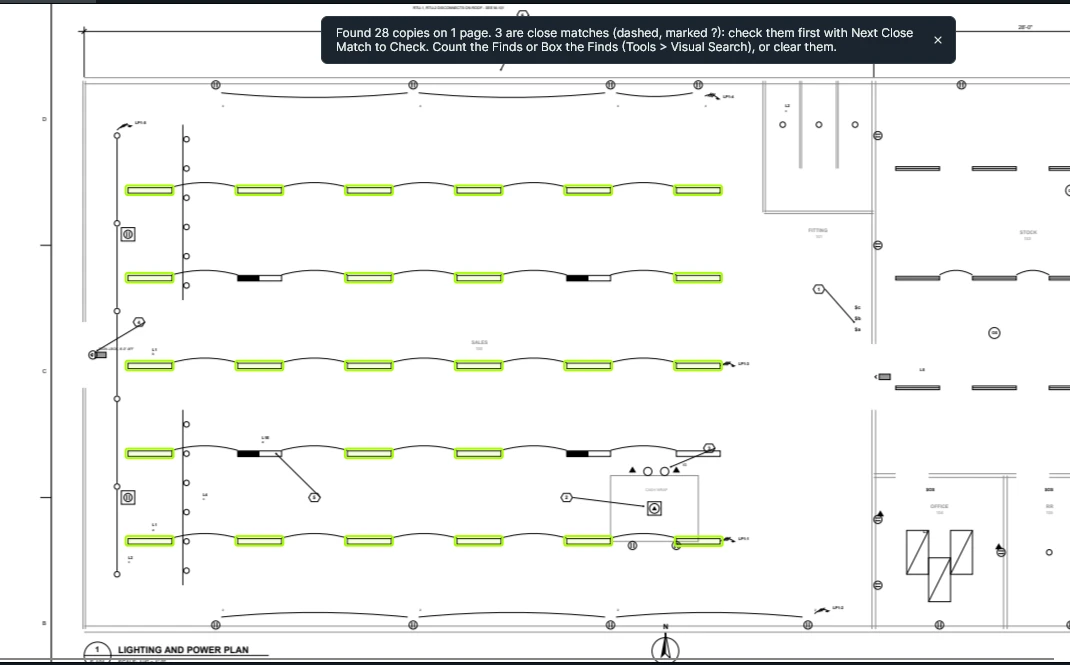
Pick the L1 tool and drag a box round one pendant. Kisheet finds every copy on the sheet. The emergency L1E units, half shaded, are a different symbol, so they are left for their own count.
Pick the fixture tool, then Tools › Visual Search › Visual Search and box one symbol
Kisheet, October 21, 2026 -
3
Check the close matches
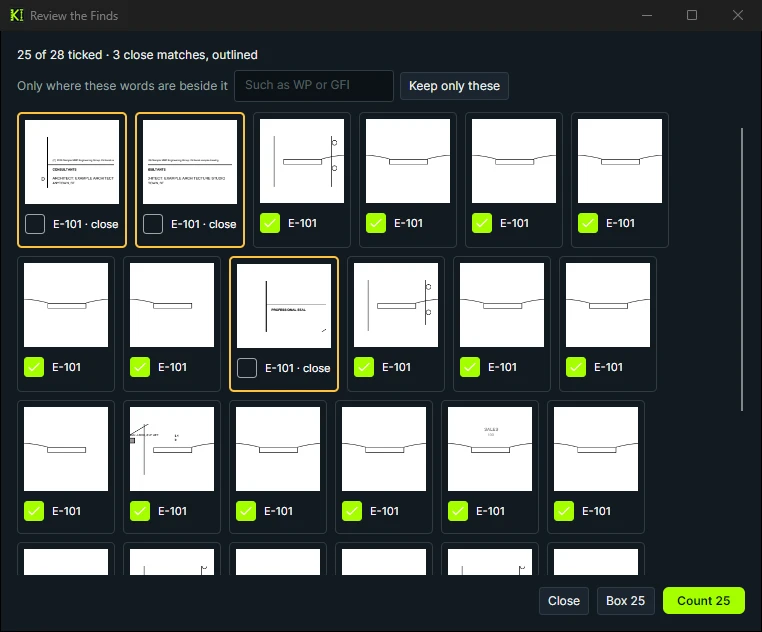
Some finds are close but not exact. Review the Finds shows every one as a picture, close matches outlined, so you decide before anything is counted. Here the three close matches are lines in the title block: untick them.
Tools › Visual Search › Review the Finds
Kisheet, October 21, 2026 -
4
Count them
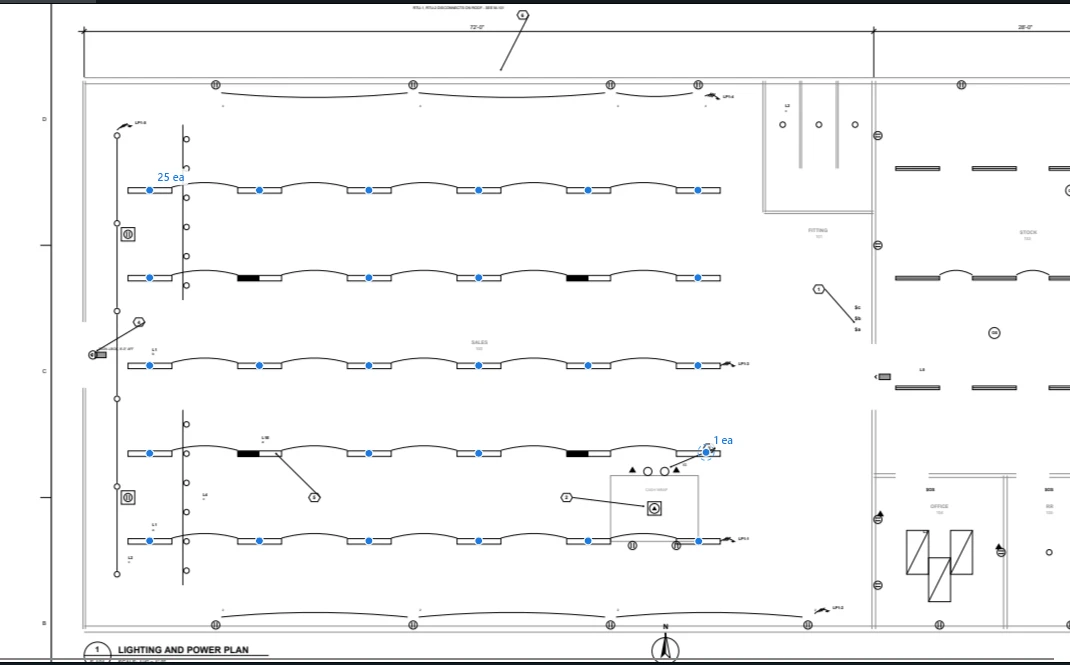
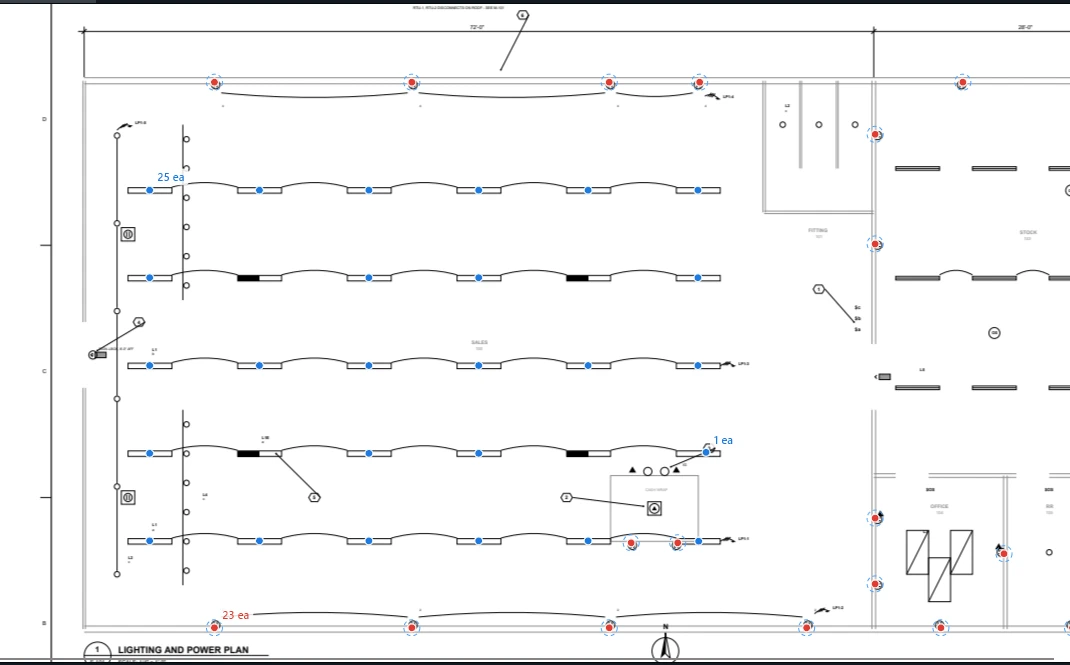
Count what you kept and each pendant gets a mark under the L1 type. Then check by eye for a pendant without a mark: here the one at the east end of the second row from the bottom was missed. Pick the L1 tool and click it in; the L1 subtotal is all 26.
Count in the review window; then pick the count tool and click any fixture without a mark
Kisheet, October 21, 2026 -
5
Count the receptacles
Pick the duplex tool and click each receptacle round the walls, the cash wrap and the stock room. The marks are the check, the count is the quantity.
Pick the count tool and click each device; Enter finishes
Kisheet, October 21, 2026 -
6
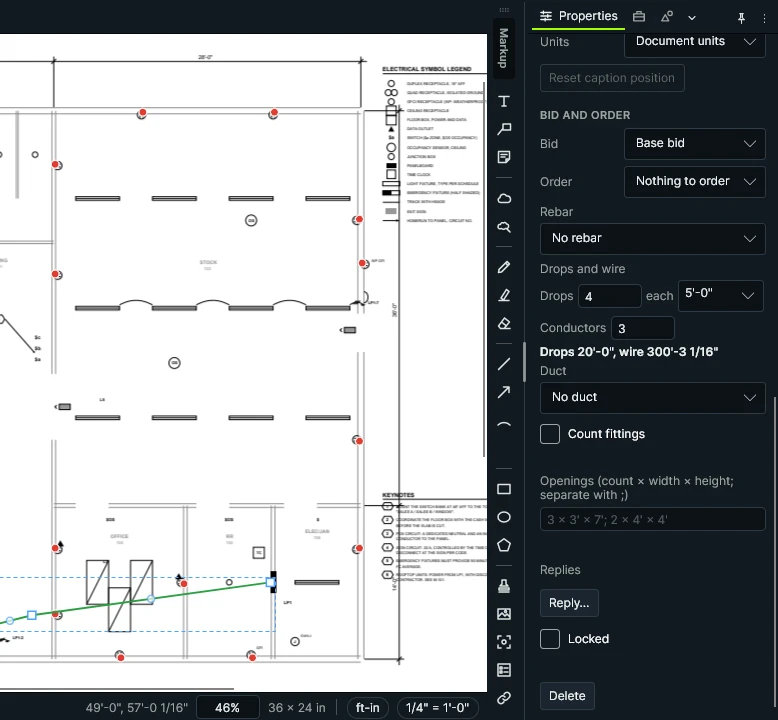
A homerun with its drops and wire
Trace the sales south wall circuit from the panel. Give the run its four wall drops and three conductors, and Kisheet gives the drop length and the wire to pull.
Draw with the conduit tool, then Properties › Drops and wire
Kisheet, October 21, 2026 -
7
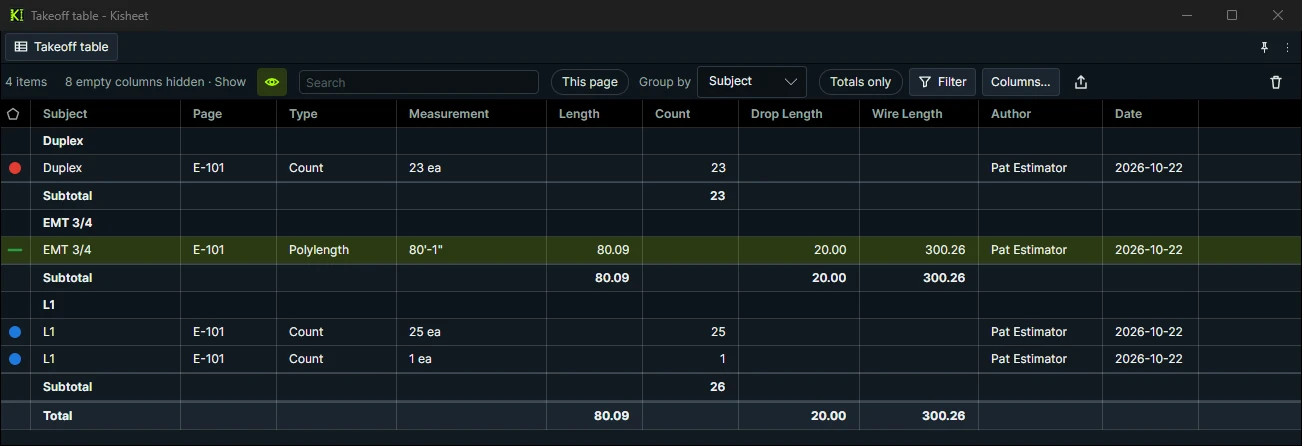
Read the counts and lengths
Group the takeoff table by subject: pendants, receptacles, and the conduit with its drop and wire lengths, ready for your pricing.
Takeoff table › Group by › Subject (here in its own window)
Kisheet, October 21, 2026
Built for how an electrical bid comes together.
Counts you can trust
Visual Search counts every copy of a symbol, close matches marked for you to check; Review the Finds shows each one as a picture to untick.
GFI, WP and other tags
Keep only the finds with those words beside them.
Counts you can fix later
Merge counts, split some marks into a new count, and let Spaces split them by zone after counting.
Fixture marks and schedules
Count Tags finds every fixture mark; Check Counts Against a Schedule flags types on the schedule with nothing counted.
Conduit, homeruns and wire
A tool per conduit size and fill, branch and homerun apart, ordered in 10' sticks. Give a run its drops (9' to a ceiling device, 5' to a wall device) and conductors, and the table shows Drop Length and Wire Length.
An electrical tool set, ready on day one
Duplex, GFCI and quad receptacles, floor boxes, switches, sensors, fixture types A to D, exit and EM, panelboards, transformers, EMT branch and homeruns with their wire, MC cable, feeders, PVC underground and cable tray.
Addenda without starting over
New sheets replace old ones with your counts kept, changes are clouded, and each count shows before and after.
Your Excel estimate, kept current
Your Excel estimate reads Kisheet's totals through ordinary formulas, refreshed each time you save.
A set your chief can check
Every count has a mark on the drawing and a live legend with totals.
A bid in seven steps.
- Make a tool for each fixture and device
- Find every pendant with Visual Search
- Check the close matches
- Count them
- Count the receptacles
- A homerun with its drops and wire
- Read the counts and lengths
Take off your next electrical bid in Kisheet.
One price for your whole company. Buy it once, or subscribe. Never per seat.
Other trades