Clouds, callouts and stamps. Without the clutter.
Review drawings, flag changes and stamp the sheet. Every markup lands in the same table as your takeoff, and other PDF apps can read it.
Pick a tool to see it in the app.
Every picture is the real app on a sample drawing.
Clouds and callouts
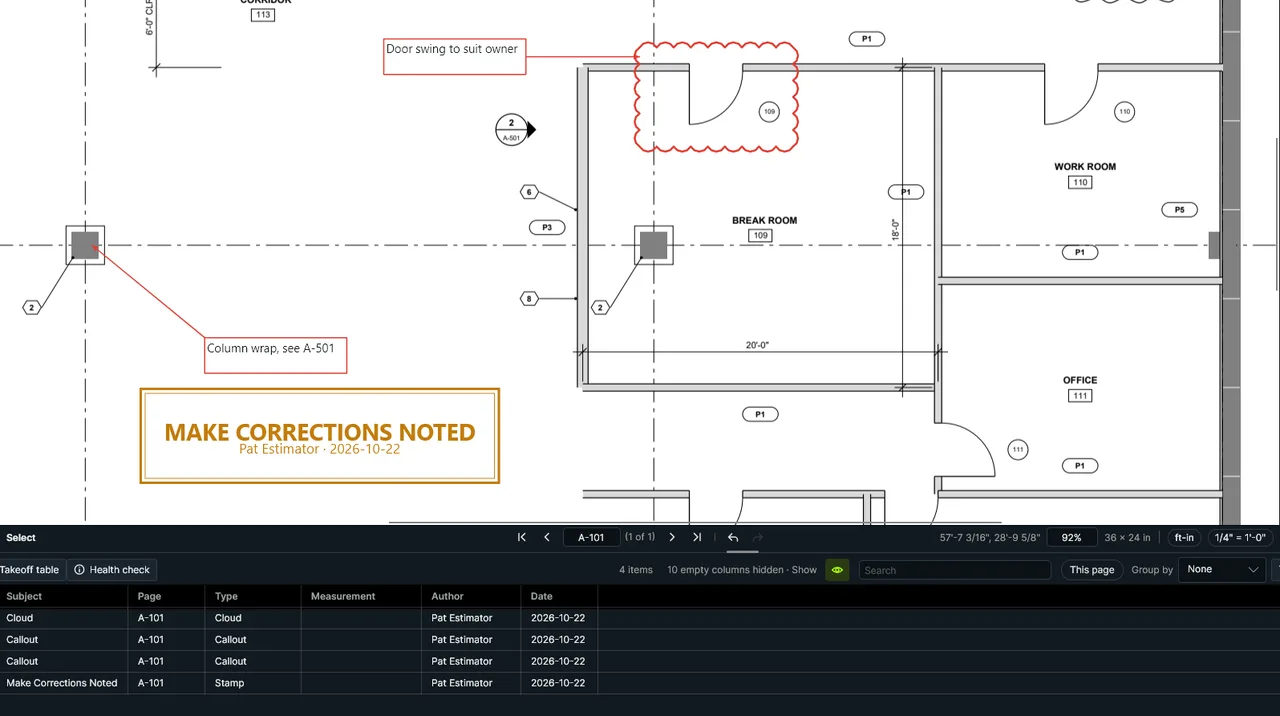
Cloud the change and say why, right where it changed.
Cloud, Cloud with Leader, Callout, Text Box, Typewriter and Note, with spell check (F7).
Review stamps
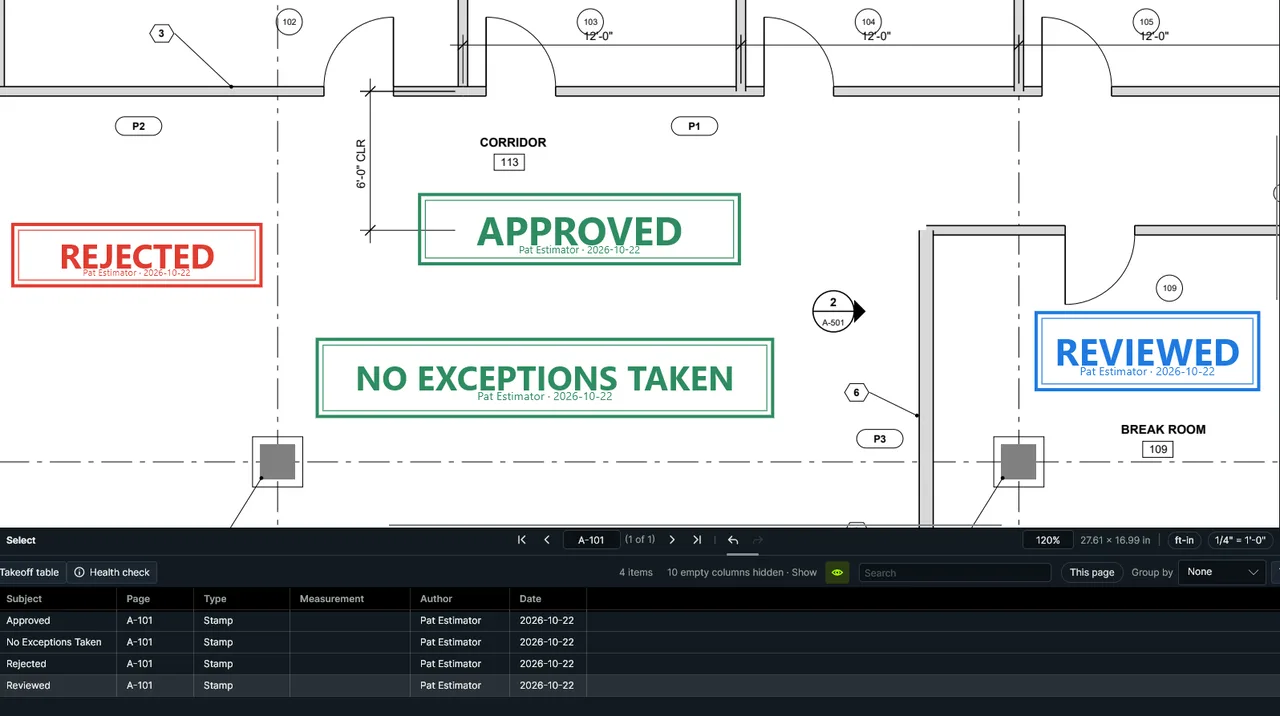
Your name and the date filled in, and the markup’s status set to match.
Nine built in, your office’s own from PDFs or pictures, and ones that ask for the submittal number.
Text markup and pen
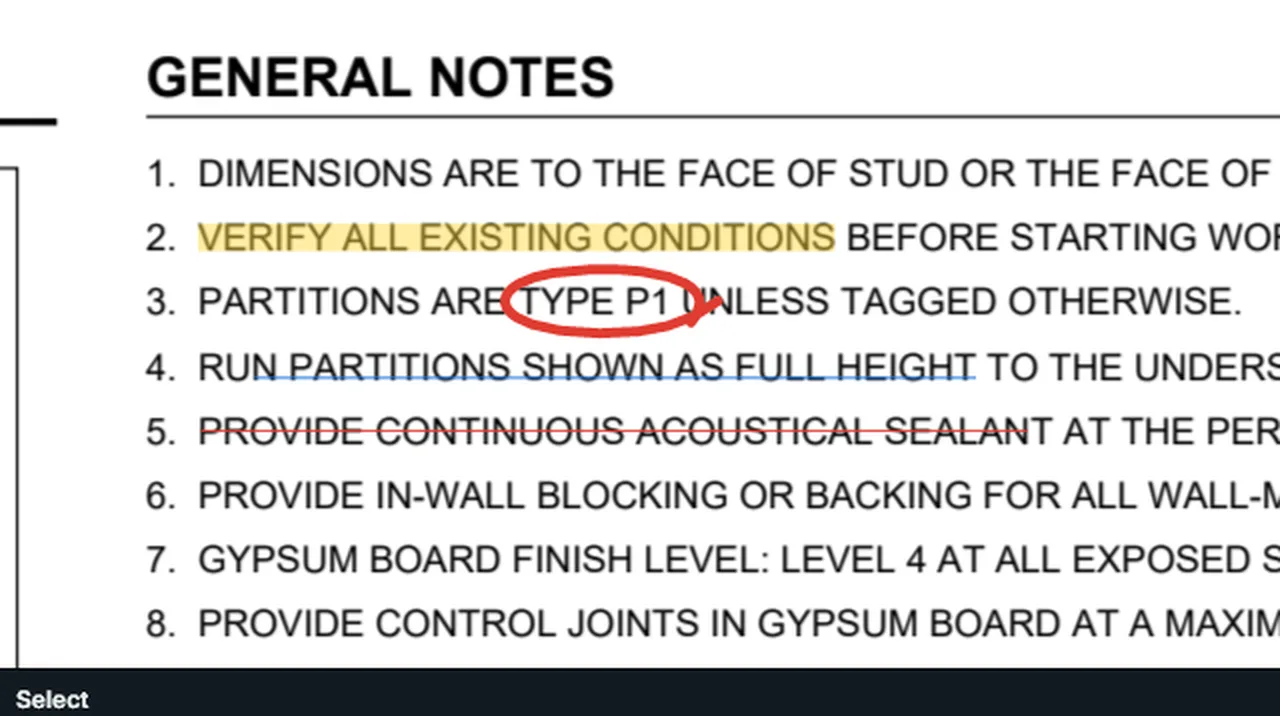
Mark the PDF’s own words, or draw freehand.
Highlight, Underline and Strike Out follow the words. Pen, Highlighter, and an Eraser for just what you drag over.
Shapes and dimensions
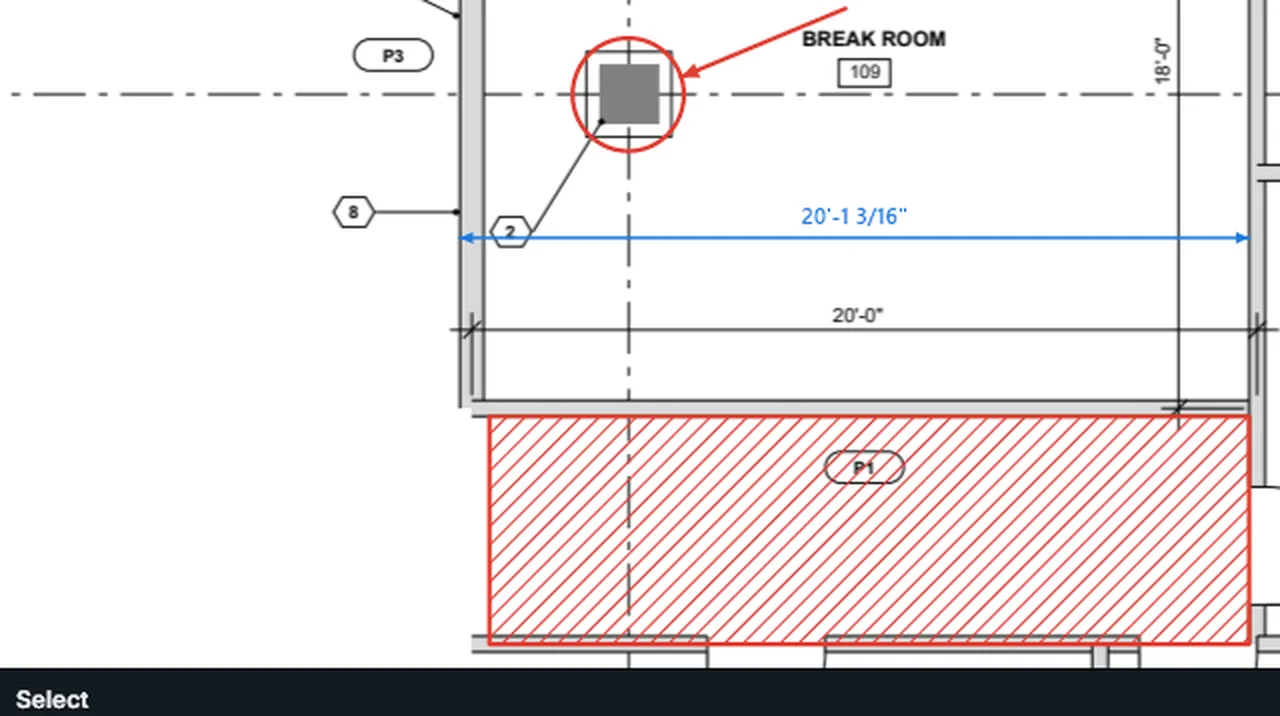
Dimension to scale, hatch an area, point at what matters.
Line, Arrow, Arc, Polyline, Rectangle, Ellipse, Polygon and Dimension; fills, dashes and CAD .pat hatches.
Legend
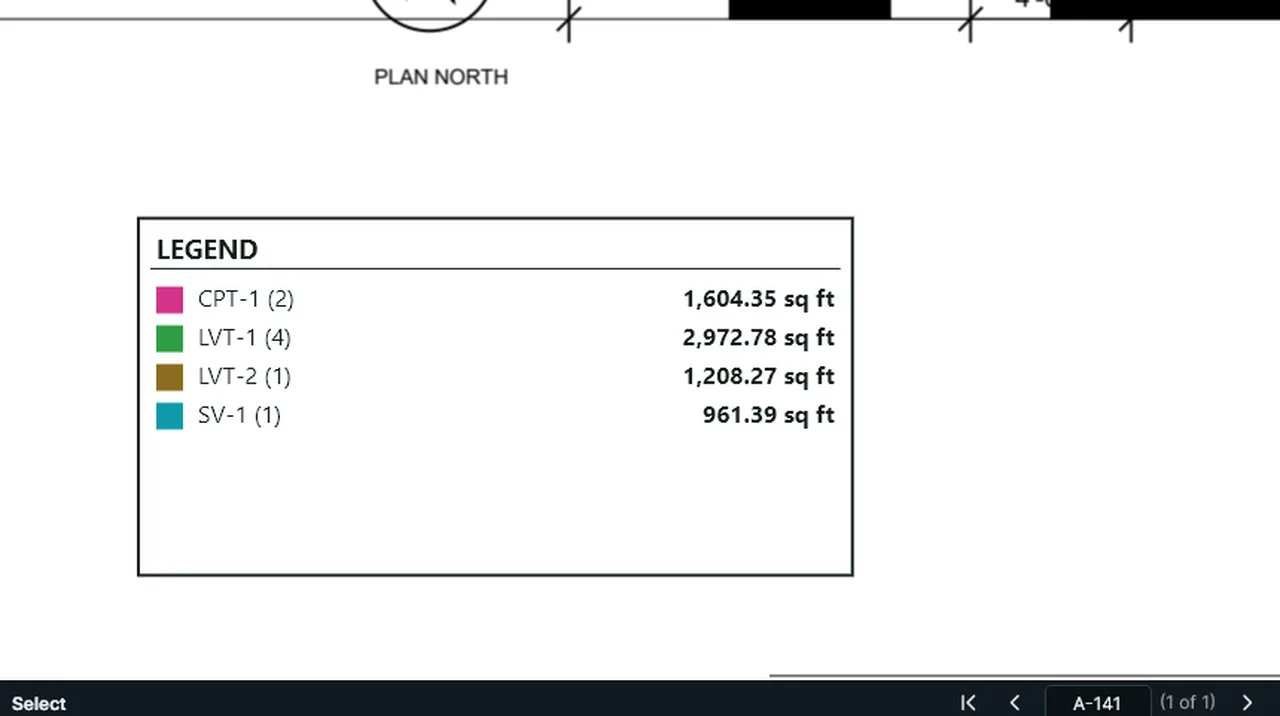
A key on the sheet that keeps itself up to date.
Each subject’s color, how many items and their total, updating as you measure.
Arrowheads
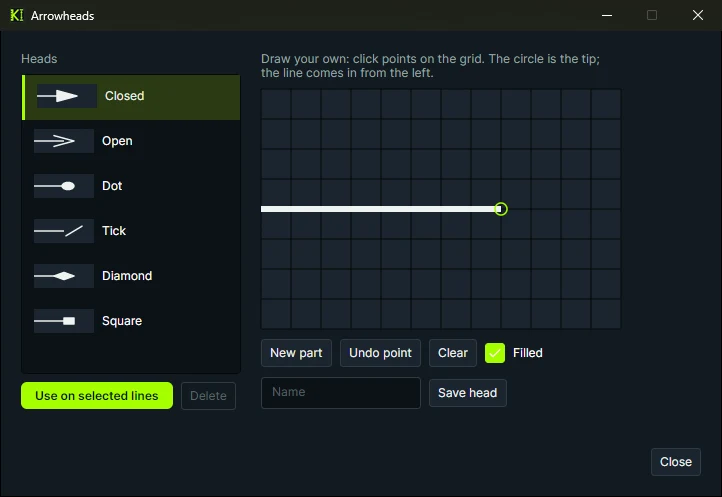
Pick a head, or draw your own.
Closed, Open, Dot, Tick, Diamond and Square, or click points on a grid to make your own.
Also built for review
Flag, Whiteout, File Attachment, Hyperlink, Picture, Snapshot, Trim Lines, Save Selection as Stamp, Stamp Every Page, a shared stamp folder for the office, your disclaimer under every review stamp, Find and Replace, and hovering a keynote or abbreviation to read what it means.
Mark up your next addendum in Kisheet.
For estimators, subs and GCs who review and measure the same sheets.
Set it up once. Everyone reviews the same way.
Tool palette and tool sets
Clouds, stamps and styles saved ready to use. Import and export a set to give the whole company one standard.
Workspaces
Default, Estimating, Review and Viewing, or your own. Lock one, and import or export it to share.
Statuses and replies
Reply on any markup and set its status from your own status sets, so a review leaves a trail.
Line styles and Format Painter
Your own dash patterns and widths. Format Painter copies one markup’s look onto others.
Layers
Give a markup a layer in Properties, and turn the drawing’s own layers on and off.
Flatten when you issue
Flatten markups into the page, unflatten them later, or publish a flattened copy and keep working.
Works with other PDF apps. Markups are saved as standard PDF annotations, so other PDF viewers can show them. Export Markups and Import Markups move them as XFDF, the format other PDF apps read.