From plan-room zip to bid letter.
The Bid menu keeps a whole bid in one folder: the sheets, the specs, every addendum and what you sent. Every tool on this page works in today's pre-release build.
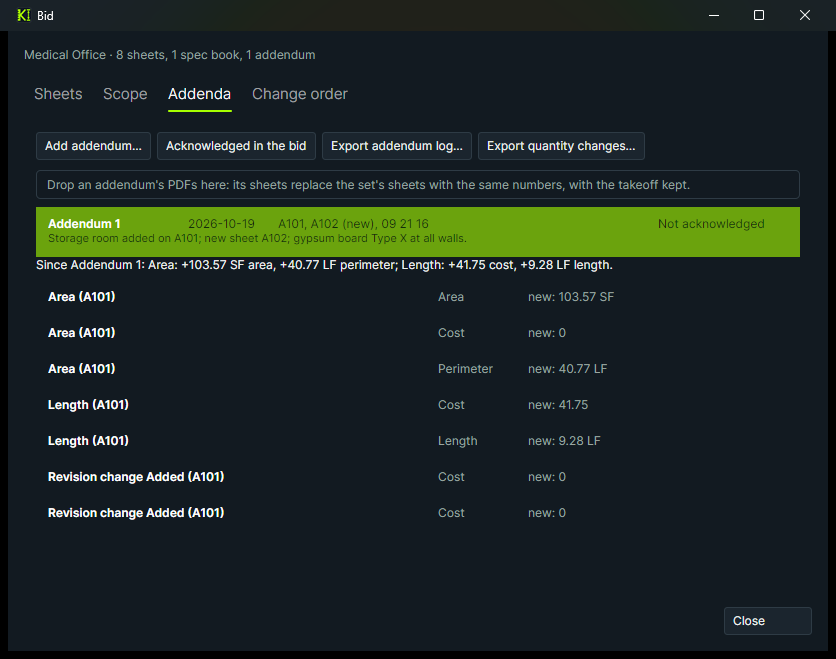
Addendum at 4 p.m.? See every quantity it changed.
Drop the addendum's PDFs on the bid. Its sheets replace the ones with the same numbers, your takeoff stays on them, and the old pages are kept.
- Changed areas are clouded, and measurements on them get a "Check" note.
- Quantity changes since the addendum, item by item and by subject, exported to CSV.
- An addendum log, with which ones you acknowledged in the bid.
Check the takeoff before it goes out.
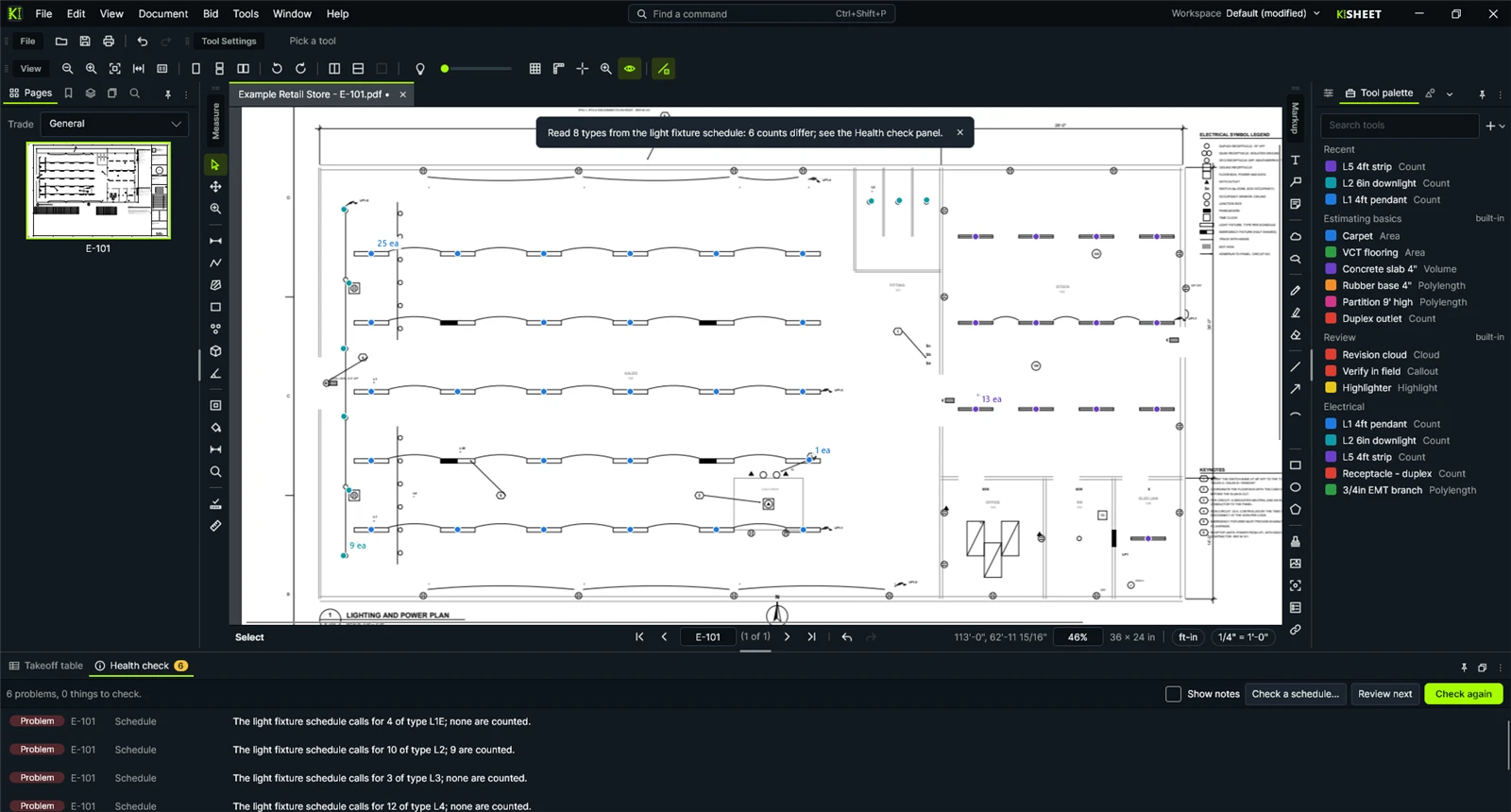
The health check lists what's easy to miss on a deadline.
- Missing and wrong scales, stray clicks, duplicates, overlaps, and rooms counted twice on overall and enlarged plans.
- Counts checked against a door or fixture schedule on the drawing.
- A reviewer pass: step through every item, mark it checked or ask a question.
- Compare this job with past jobs you kept.
Everything on the Bid menu
Set up the bid
From a folder or a plan-room zip. Sheets are checked against the drawing index and linked across the set, with discipline filters.
Specs and scope words
Bookmark a spec book by section, pull out your trade's sections, and scan every drawing and spec for your scope words.
Freeze the bid
Lock every PDF as bid. Any later change is compared with what you bid, and a change order is priced from the difference.
Typical floors and units
Draw a floor or unit once and count it for every repeat. The totals include them all.
Bid outputs
Bid letter from a template, scope sheets by trade, a bid summary by space or floor, a question log, and qualifications and exclusions.
Fill your spreadsheet
Fill your own bid spreadsheet from the takeoff, and level sub bids on one sheet.