Addendum 3 just dropped. Know exactly what changed.
Compare revisions, keep plan sets organized, prepare sheets for takeoff and issue them cleanly. Batch jobs and visual flows handle the repetitive parts, and everything stays on your machine.
Two revisions in. Every change clouded.
Compare with Older Revision lines up the old and new sheet and clouds what moved, appeared or disappeared. Overlay Older Revision stacks them in color so you can see the story at a glance.
- Compare with Older Revision auto-clouds the differences between two revisions.
- Overlay Older Revision shows older-only content in red, newer-only in blue and what is unchanged in gray.
- Compare Text finds changes in specs and notes, not just linework.
- Send the clouded result to the estimator who has to reprice.
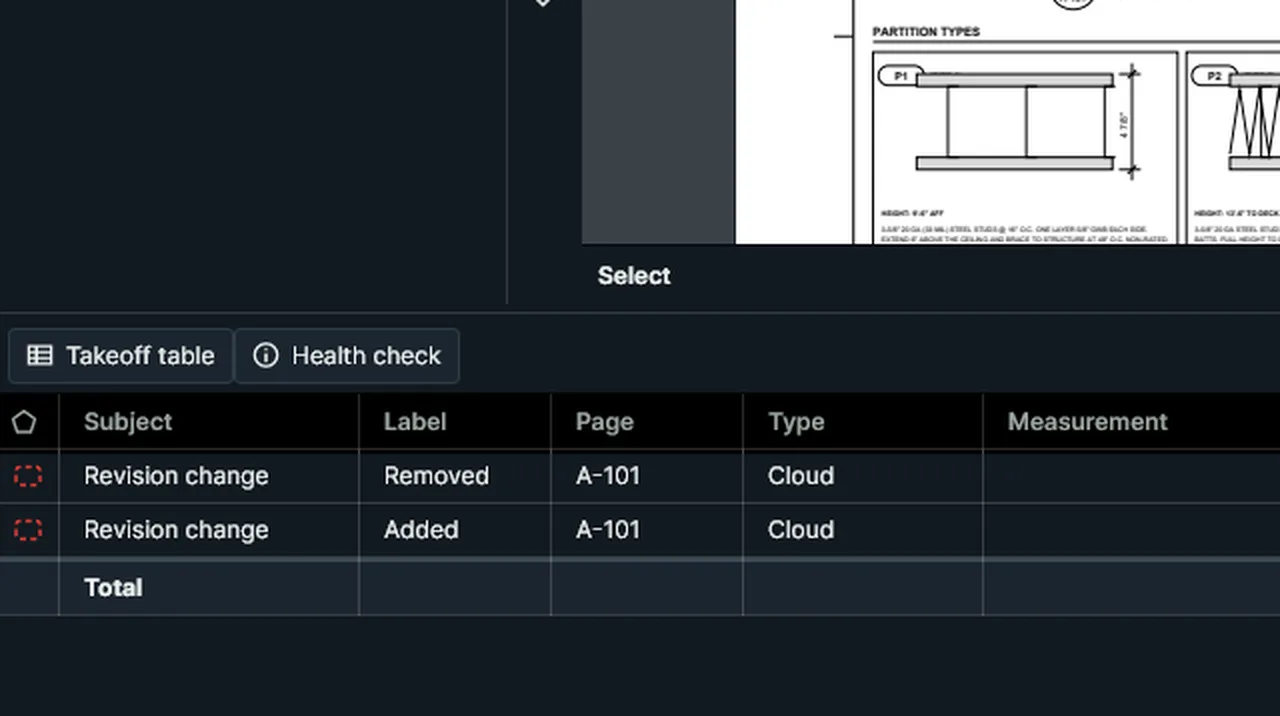
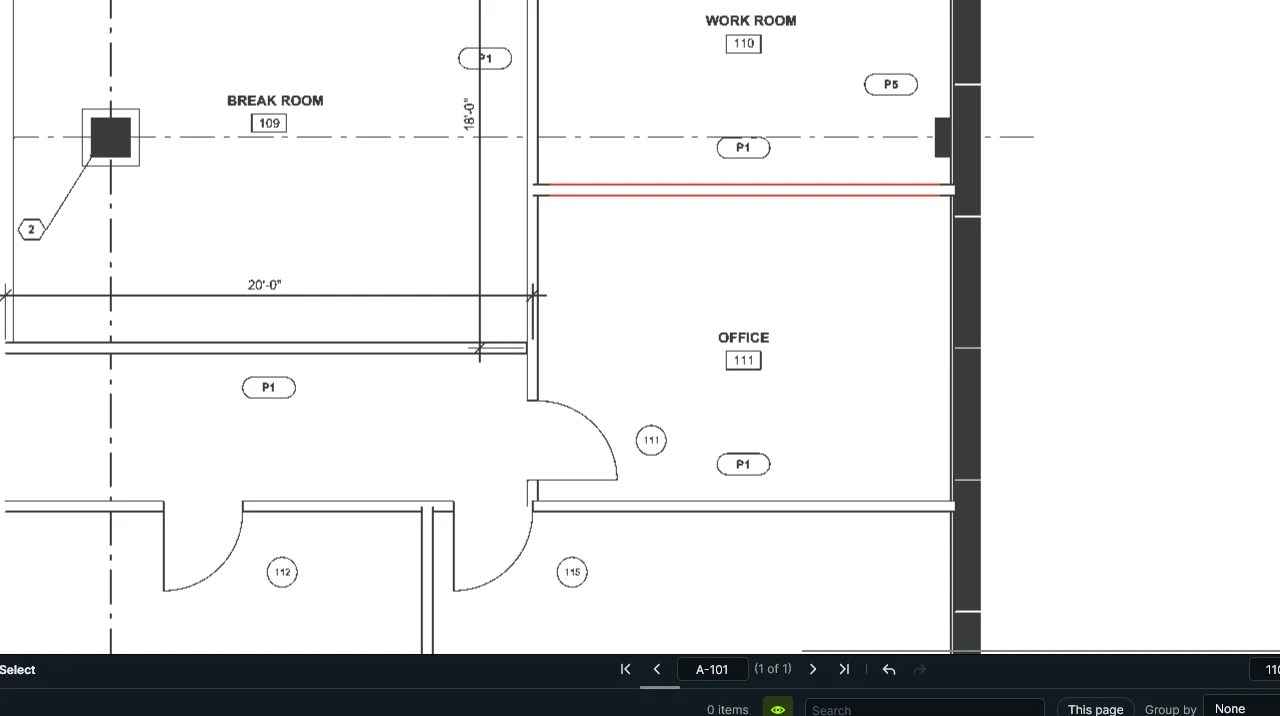
Clips: the real app, pre-release build, October 22, 2026, on sample drawings (Rev 2 is a sample revision made for this demo).
A plan set that behaves like one project.
Group many PDFs into a Set. Tag sheets, keep a Drawing Log, and check sheets out so two people never mark up the same drawing at once.
- Drawing Log with sheet, title and revision, auto-filled from file names.
- Tags to slice a set by trade or discipline.
- Check Out and Check In to keep shared sheets clean.
- Export Set Takeoff (Excel), with one sheet per document.
Paperwork that starts from a template.
Ten construction form templates, including RFI, Submittal, Change Order and Punch List, give you fillable PDFs on day one. Detect fields on your own forms, calculate totals, and sign when you are done.
- Form tools and Detect Fields for turning a flat PDF into a form.
- Calculate Field for totals and sums, plus import, export and merge of form data.
- Digital signatures: sign, certify, manage your Digital ID and Trusted Identities.
- Saved with incremental updates, so signatures stay valid after later edits.
Get the set ready before you measure.
Split the combined PDF, crop sheets to the drawing area, number and label pages, and make scanned plans searchable. Then redact what should not leave the building.
- Insert, Extract, Split, Replace, Delete and Crop pages, plus Move Earlier and Later.
- Deskew crooked scans, Number Pages and set Page Labels that match the sheet index.
- OCR with the Windows built-in engine, so scanned sheets become searchable.
- Redaction by area, or Search and Redact by text.
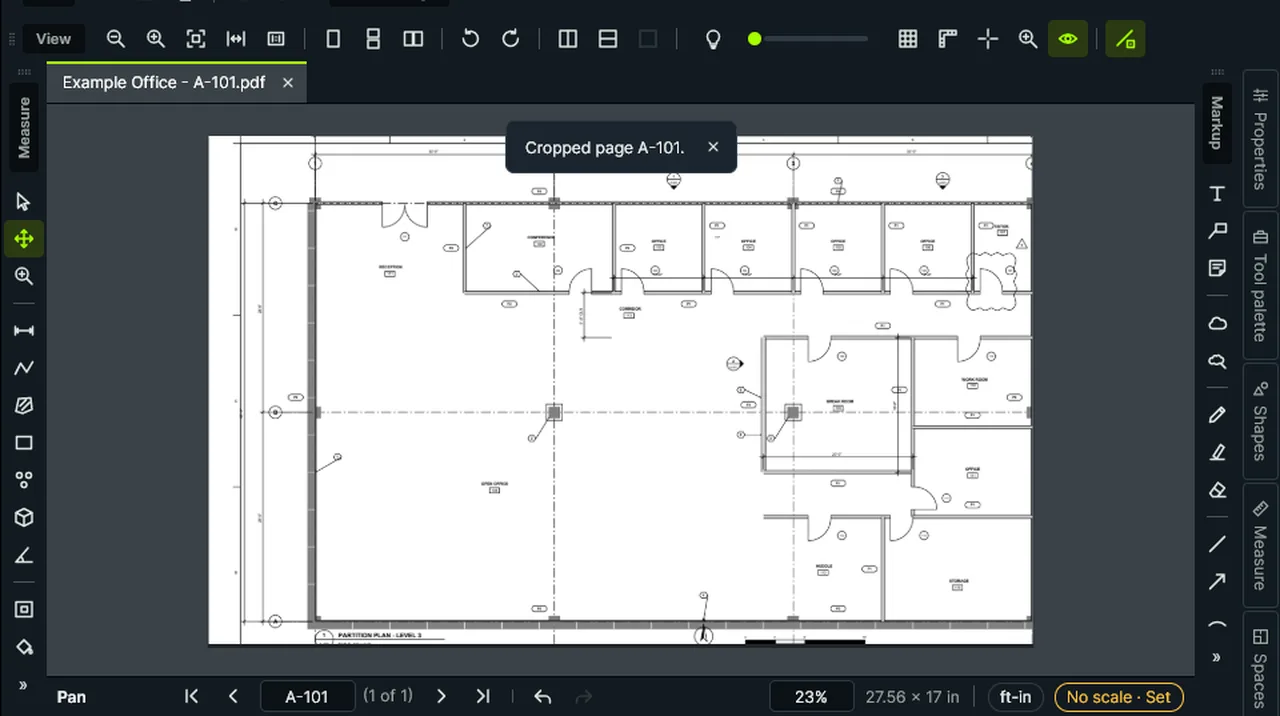
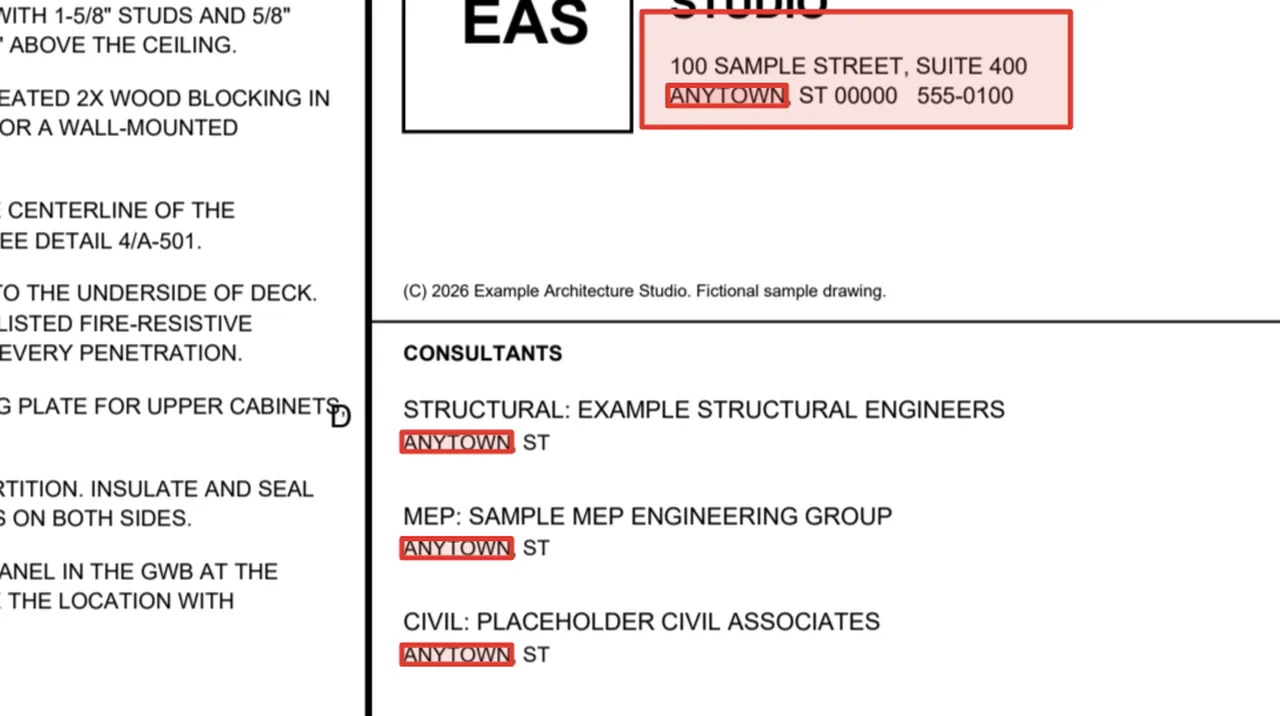
Do the boring part once. Run it on the whole folder.
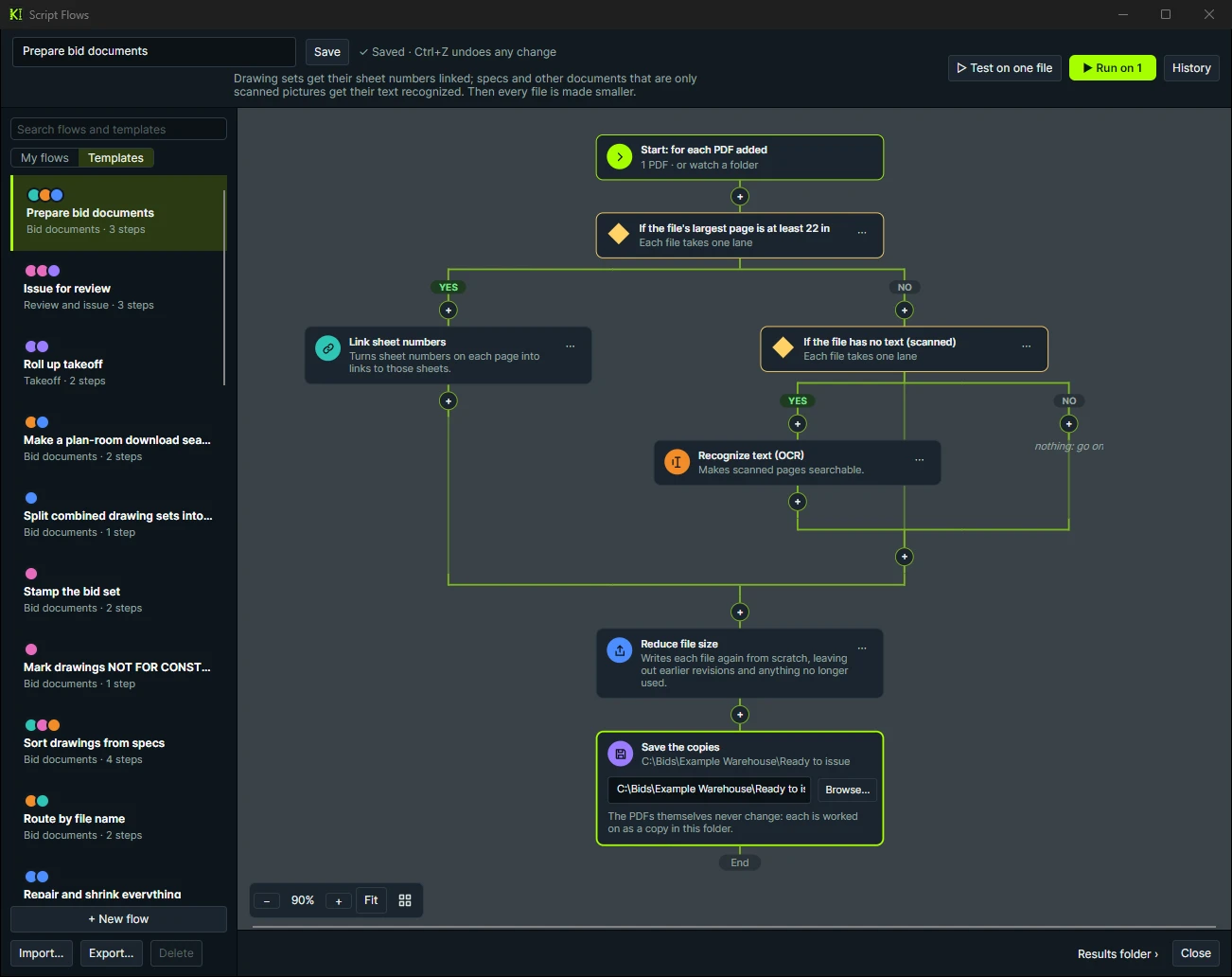
Batch Jobs run a job across many PDFs. Script Flows let you chain jobs into a visual flow with Yes/No branches and see the result for every file.
- Batch Jobs: rotate, crop margins, split, reduce file size, repair, headers and watermark, stamp every sheet, flatten, link sheet numbers, cloud changes from older revisions, overlay, slip-sheet, OCR, images, one takeoff table, one summary report, print, sign and password-protect.
- Script Flows: a visual designer with searchable step cards, If branches and per-file results.
- 33 starter flows in five groups, such as Prepare bid documents, Issue for review and Roll up takeoff.
- Watch a folder: while the Script Flows window is open, every PDF dropped in runs through the flow.
- Rule-based automation you can read and trust. It is not AI.
The unglamorous tools that save an afternoon.
Headers, watermarks, redaction, file shrinking and the rest, without leaving the app.
Number pages and labels
Number Pages and Page Labels so printed and on-screen sheet numbers agree.
Headers, footers and watermark
Page numbers, the file name, label and date on every page, or DRAFT across it, and off again in one step.
OCR
Make scanned drawings searchable with the Windows OCR engine.
Redaction
Redact an area, or search and redact matching text across pages.
Reduce and repair
Shrink huge files and rebuild damaged ones, in Batch Jobs.
Security
Open password-protected PDFs and apply security, including in batch.
Merge PDFs
Combine PDFs into one, keeping each page’s takeoff, scale and label.
Version History
Go back to any saved version of a PDF.
Export pages
Pages as PNG or JPEG images, with or without the markups.
Slip-sheets
Replace a sheet with its revision, one at a time or in Batch Jobs.
Bookmarks and links
Generate bookmarks, link sheet references automatically, and attach files to pages.
Sign and certify
Digital signatures and certification, applied one at a time or in batch.
Revisions change quantities.
Stop guessing what changed in the addendum.
Run your next revision through Compare and Overlay.